Development
Here we discuss how PyTracerLab is structured internally and how new functionality (especially to the GUI) can be added easily.
PyTracerLab Structure
PyTracerLab has to principal parts: the model sub-package and the gui sub-package. This structure is depicted in Figure 1. The model sub-package contains the main functions for the model; it can be used as a regular python package and includes, i.a., modules to create and run lumped parameter models using various model units, and to optimize model parameters. The gui sub-package contains the main functions for the GUI; it creates an interface to various parts of the model sub-package and enables non-technical users to load data, create and run models, to optimize model parameters, and to view and export results.
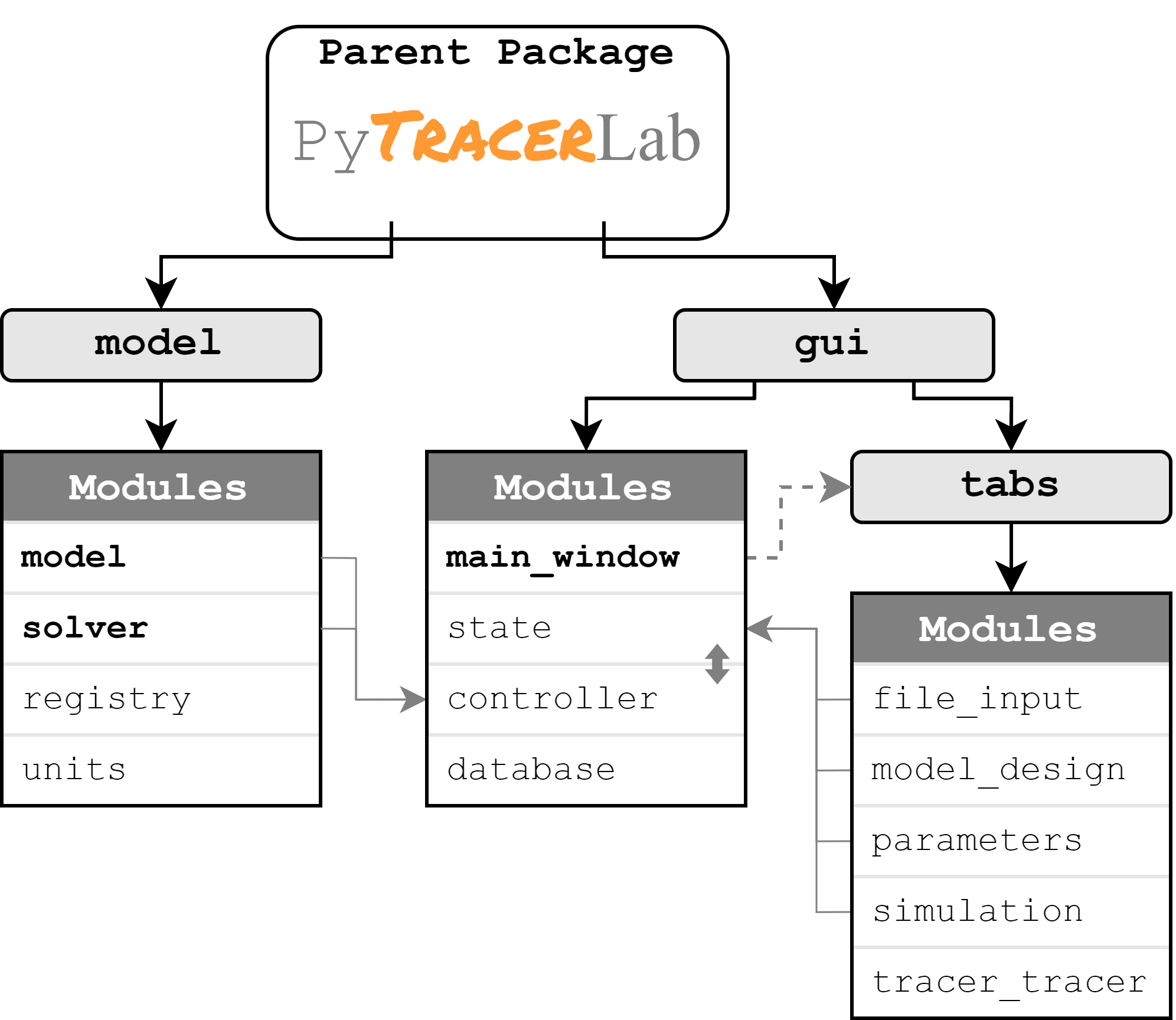
Figure 1: The pricipal structure of the PyTracerLab package and its main parts. Main modules are written in bold; main mechanisms and connections are represented via arrows.
Adding New Functionality
The addition of new functionality is best illustrated looking at the general structure of PyTracerLab.